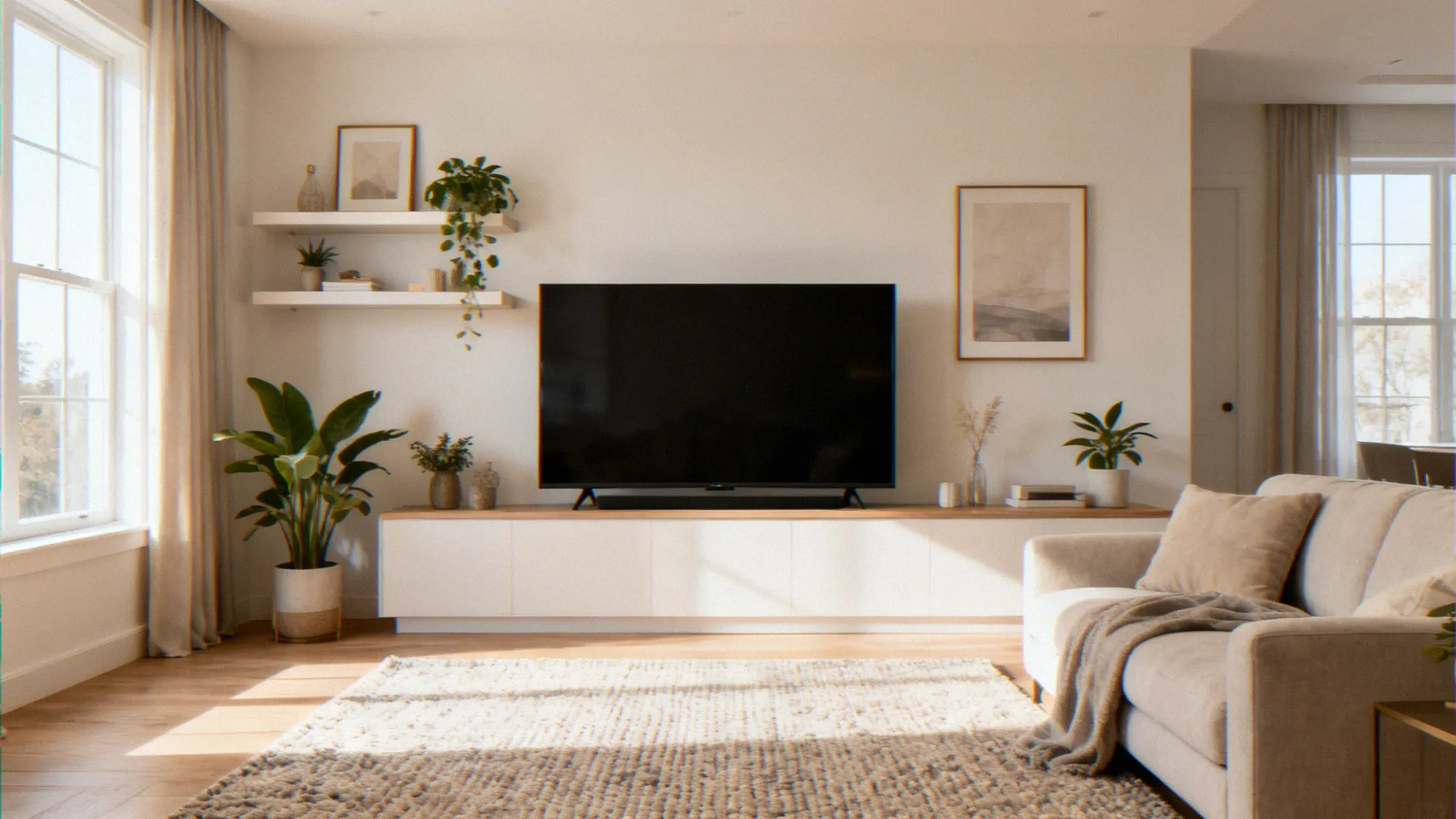
So, you finally scored that gorgeous 75-inch flat screen, and now you’re staring at your living room wall thinking, “This is going to be a disaster, isn’t it?” Trust me, I’ve been there. My first attempt at mounting a big TV on a short wall ended with a slightly tilted screen and a very judgemental-looking living room.
But after some trial, error, and a lot of measuring tape, I figured out exactly how to make it work — and it actually looks amazing.
Here’s everything I know about balancing a large flat screen TV on a short living room wall, done right.
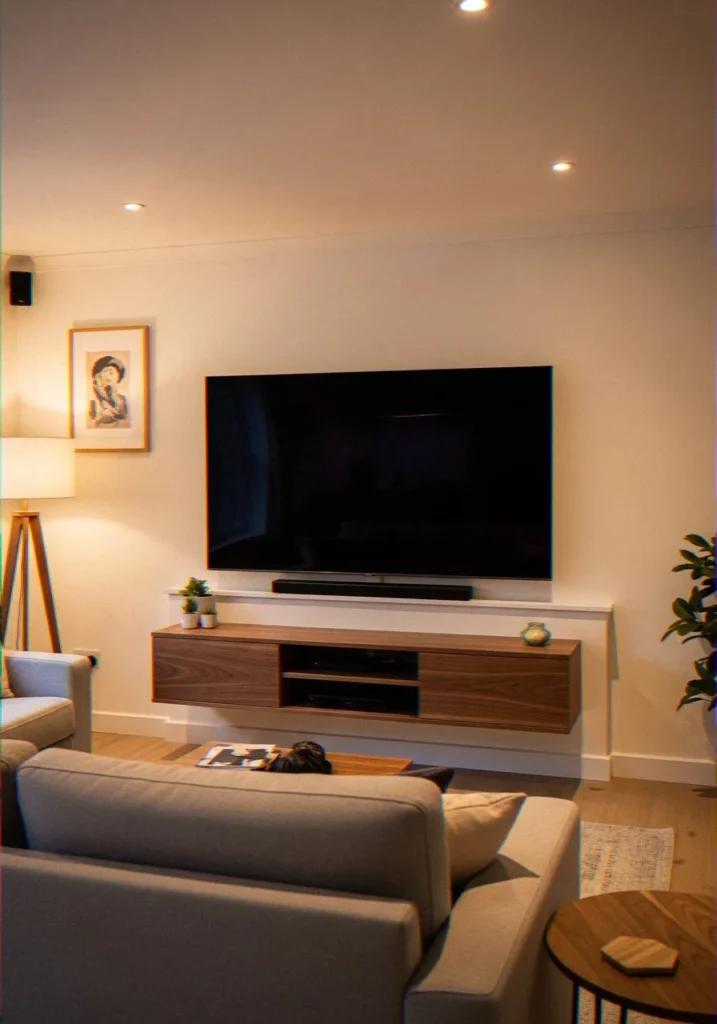
Why a Short Wall Creates Unique Challenges
Most TV mounting advice assumes you’ve got a standard 8-foot wall with plenty of real estate to play with. But short walls — think anything under 7 feet, or walls interrupted by trim, built-ins, or a fireplace — don’t follow the rulebook.
The biggest challenge? Eye level. The golden rule of TV placement says the center of your screen should sit roughly 42–48 inches from the floor, which aligns with average seated eye level. On a short wall, hitting that sweet spot while keeping the TV proportional to the space becomes a real puzzle.
| Factor | Ideal Setup |
|---|---|
| TV Center Height | 42–48 inches from floor |
| Mount Type | Tilting or full-motion mount |
| TV Position | Centered on the wall |
| Cable Setup | Hidden or managed neatly |
The good news: it’s absolutely solvable. You just need to approach it with a plan.
Step 1: Measure Everything Before You Touch a Drill
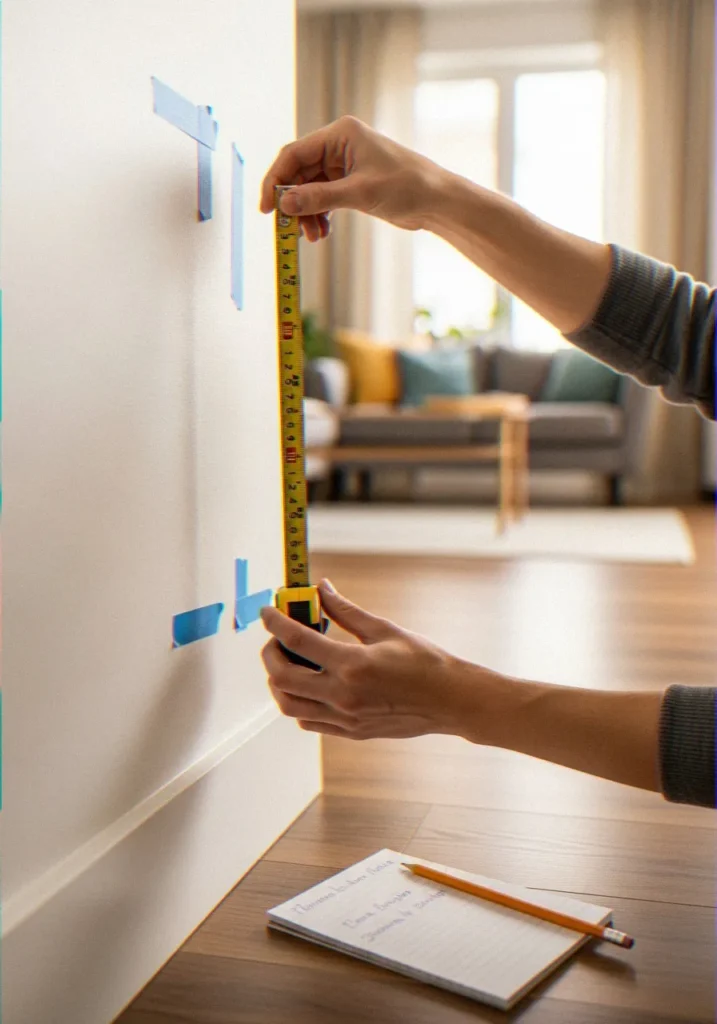
I cannot stress this enough — measure first, mount second. This step alone saves you from unnecessary wall holes and a whole lot of regret.
Here’s what you need to measure:
- Wall height from floor to ceiling
- Available mounting width between any obstacles (doors, windows, built-ins)
- Your TV dimensions — not just the screen size, but the actual physical width and height of the unit
- Seated eye level — sit in your usual spot and have someone mark where your eyes naturally land on the wall
Once you have these numbers, you can map out exactly where the center of the TV needs to go. I like to use painter’s tape to outline the TV on the wall before committing to anything. It sounds low-tech, but it’s honestly one of the best tricks I’ve picked up.
Step 2: Choose the Right TV Mount
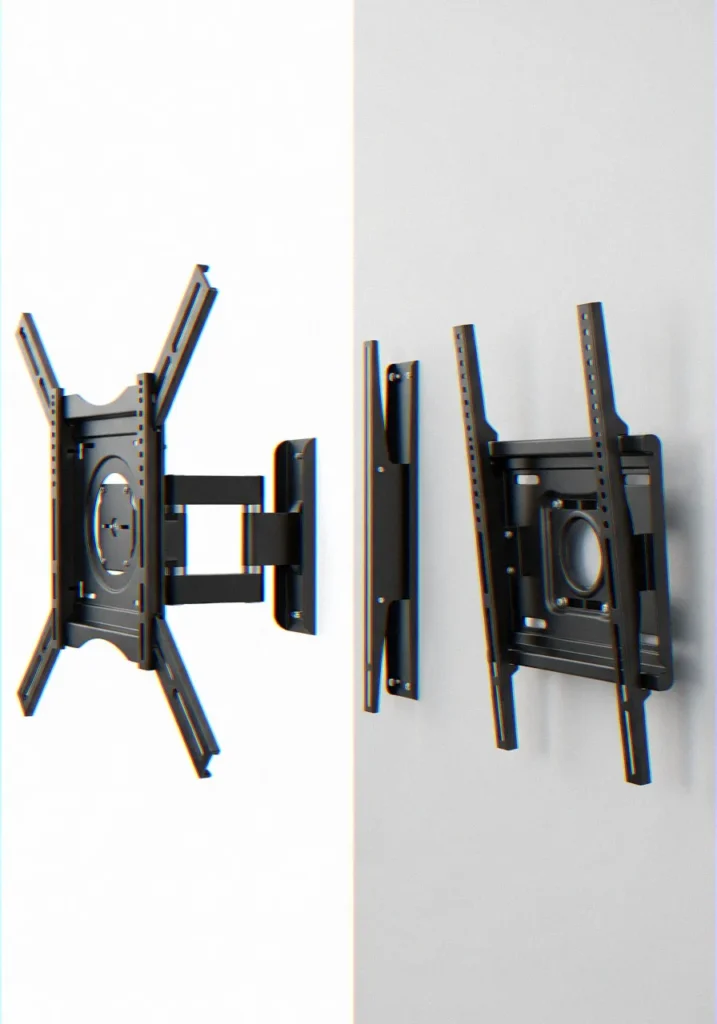
Mounts are not equal and a small wall scenario will require a big difference in the selection of a mount.
| Mount Type | Best For |
|---|---|
| Fixed Mount | Clean flush look on tight walls |
| Tilting Mount | TVs mounted slightly higher than eye level |
| Full-Motion Mount | Flexible viewing angles and tricky wall layouts |
Full-Motion (Articulating) Mounts
These are my personal favorite for tricky wall setups. A full-motion mount lets you tilt, swivel, and pull the TV away from the wall, which gives you flexibility to adjust the viewing angle even if the TV ends up slightly higher or lower than ideal.
Key specs to look for:
- Weight capacity that exceeds your TV’s weight by at least 20%
- VESA pattern compatibility with your TV model
- Extension arm length — longer arms give you more adjustment range
- Tilt range of at least -5° to +15°
Low-Profile Fixed Mounts
When you really have a tiny wall space to work with and you would like to mount the TV directly against the wall, a fixed mount is a good option: however, you must be able to nail the height up exactly the first time. Once it is in the air, there is no room to fiddle and therefore your measurements must be precise.
Tilting Mounts
A solid middle ground. Tilting mounts let you angle the screen downward, which is super useful if your short wall forces the TV to sit a touch higher than ideal. A slight downward tilt compensates nicely and keeps neck strain out of the equation.
Step 3: Find the Wall Studs (Don’t Skip This)
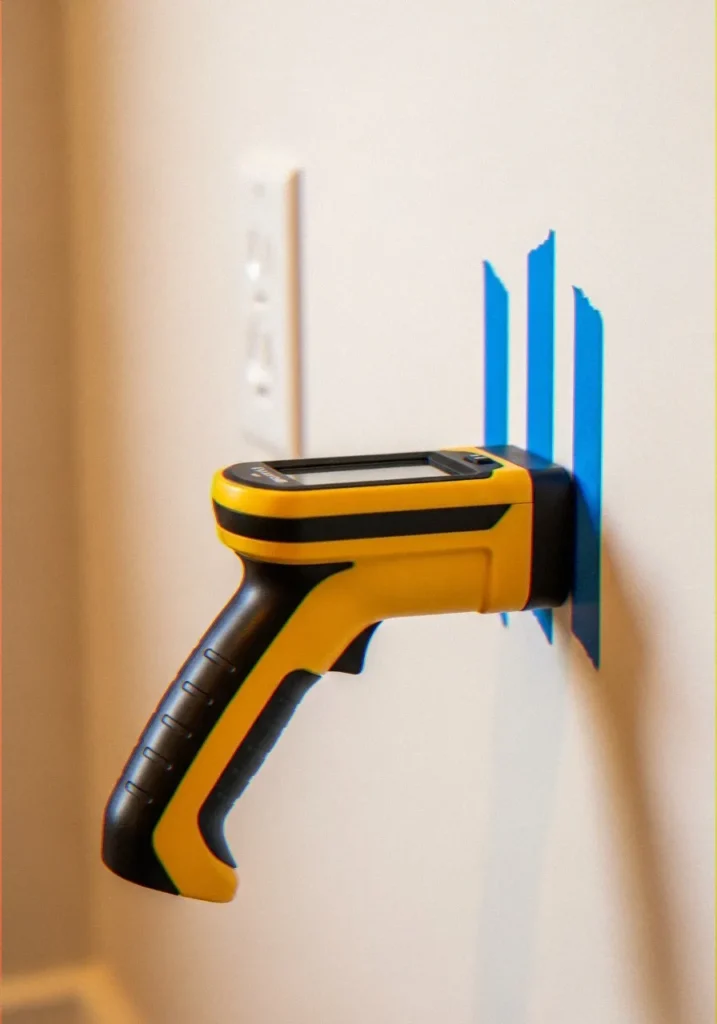
Here’s where people cut corners and regret it — skipping a proper stud finder and just hoping for the best. A large flat screen TV can weigh 60–100+ pounds. You need studs, not just drywall anchors.
Determine the location of every stud using a good electronic stud finder and mark them with painter tape. The majority of studs are spaced 16 inches in the middle but older houses might space them 24 inches in between so do not guess.
If your mounting position doesn’t land on studs — which happens frustratingly often — you have a couple of solid options:
- Horizontal mounting plate/board: Attach a piece of 3/4-inch plywood or a steel mounting plate horizontally across two studs, then mount the TV bracket to that. This distributes the weight properly and gives you much more positioning flexibility.
- Heavy-duty toggle bolts: These work in a pinch for lighter TVs, but I’d still rather hit studs for anything over 50 lbs.
Step 4: Get the Height Right on a Short Wall
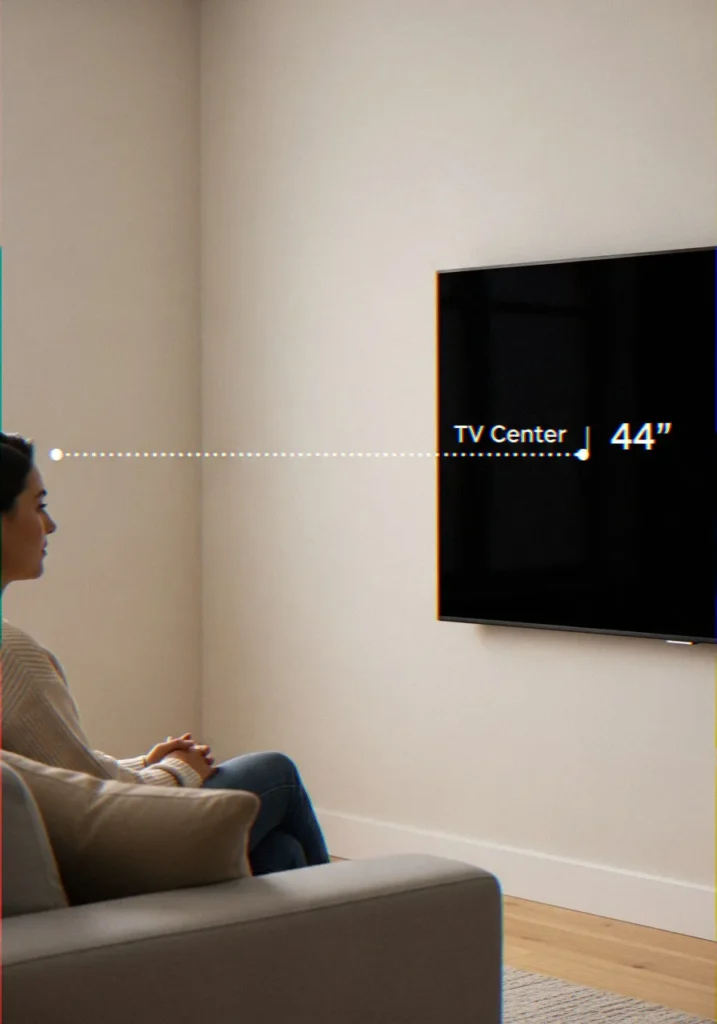
It is the core of the entire challenge. You are working on a wall of limited height, within a compressed vertical range, and mathematical numbers must be on your side.
Here’s a simple formula I use:
Ideal mount center height = seated eye level + 0 to 3 inches
Why the slight upward adjustment? Because a large TV extends both above and below the mount. If your eye level is 44 inches, mounting the center at 44–47 inches puts the screen squarely in your sightline without forcing you to crane your neck.
What If the TV Is Too Big for the Wall Height?
This is where things get real. In case the physical height of your television consumes a significant portion of the wall, you can do the following:
- Lower your furniture: A shorter media console or a wall-mounted shelf drops your eye level slightly, giving you more vertical space to work with on the wall.
- Use a tilting or full-motion mount: Angling the screen toward you compensates for a slightly elevated position.
- Reconsider the TV size: IMO, sometimes the honest answer is that a 75-inch TV on a 6.5-foot wall is just too much TV for the space — and a 65-inch would look better and be easier to watch comfortably.
Step 5: Balance the Visual Weight of the TV
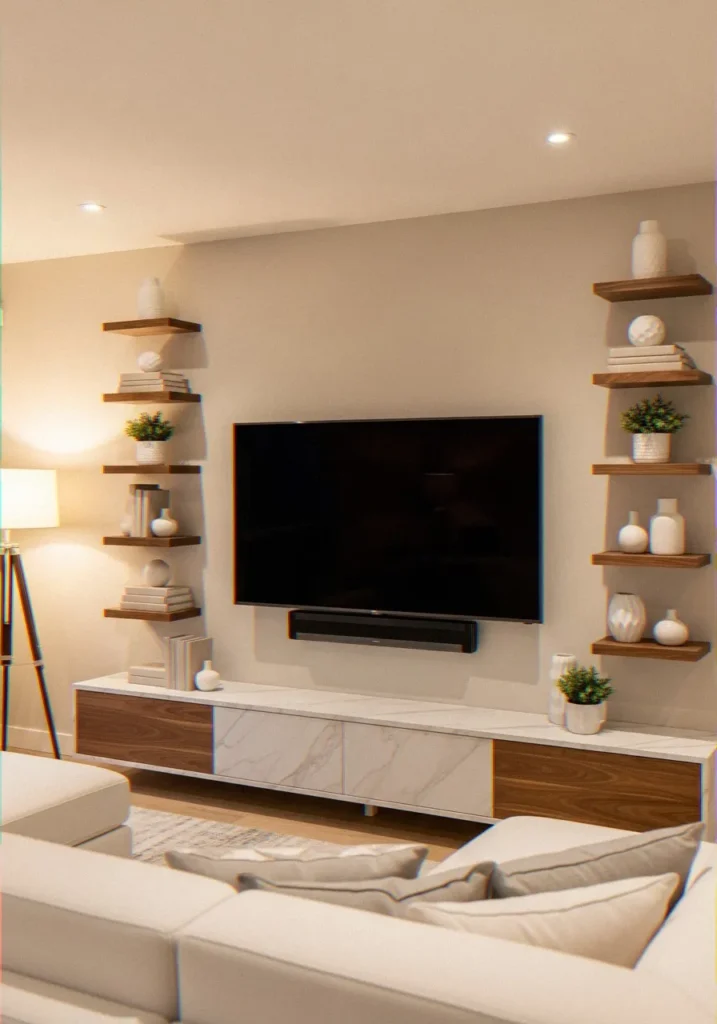
A large TV on a short wall can look visually overwhelming if you don’t account for the surrounding elements. Getting the TV mounted at the right height is only half the battle — making it look balanced in the room is the other half.
Here are a few tricks that genuinely work:
- Center the TV between the floor and ceiling, not just between furniture pieces. Your eye naturally seeks symmetry with the room architecture.
- Flank the TV with vertical elements — tall floor lamps, gallery wall panels, or thin vertical shelving on either side draw the eye upward and make the wall feel taller.
- Float your media console away from the wall by a few inches. It creates a slight shadow line that adds depth and makes the setup look more intentional.
- Cable management is non-negotiable. Nothing kills a clean TV installation faster than a bundle of dangling cables. Use in-wall cable management kits or at minimum a cable raceway in a matching paint color.
Step 6: Account for Glare and Ambient Light
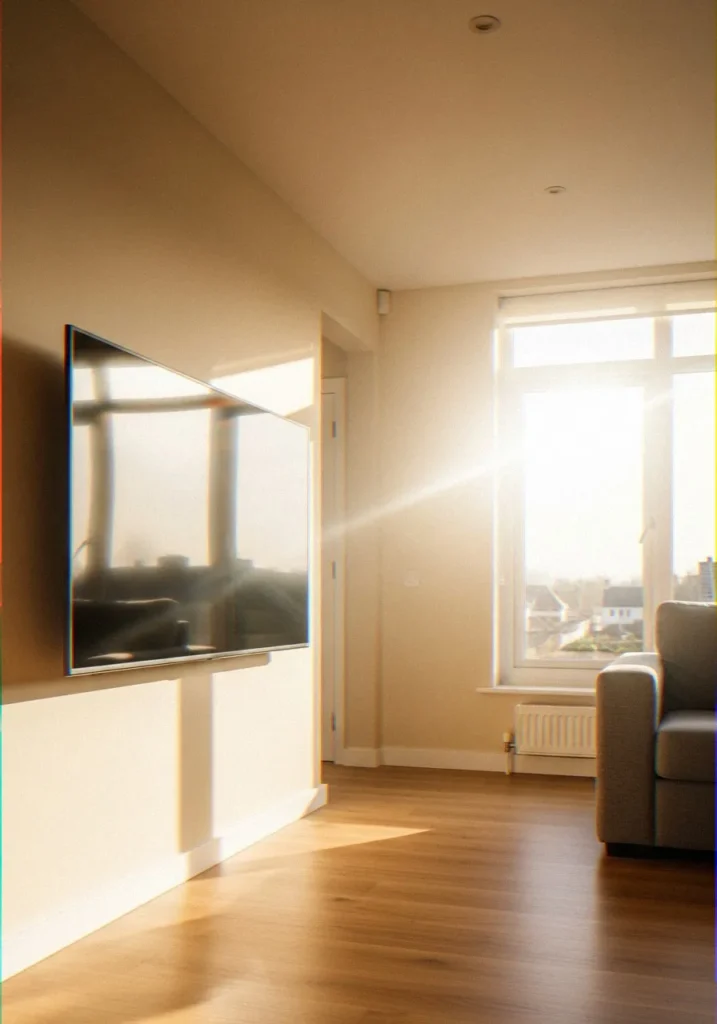
It is common to see short walls in low ceiling rooms that have windows close to the room, thus, glare is a possible problem. Test the room at various times of the day before you make final arrangement on the mount position.
Quick glare-check method: Hold a mirror flat against the wall where the center of the TV will sit. If you see a window or light source reflected, you’ll get glare at that time of day. Adjust the horizontal position or plan to use a tilting mount to angle away from the light source.
Also consider matte screen protectors if glare is unavoidable. They slightly reduce picture clarity but make daytime viewing dramatically more comfortable — especially on short walls where you can’t always reposition away from windows. 🙂
Step 7: Test Before You Commit
Before tightening everything down fully, do a dry run. Have a second person hold the TV in position (or use the mount without fully securing it) while you sit in your normal viewing spot and check:
- Does the center of the screen align with your eye level?
- Can you see the full screen without tilting your head?
- Does the TV look proportional to the wall from multiple seating positions?
FYI — what feels slightly high when standing almost always looks perfect when seated, so always judge from where you’ll actually watch.
Common Mistakes to Avoid
I’ve made most of these myself, so learn from my pain :/
- Mounting too high because it “looks better standing up” — it won’t feel better sitting down for a three-hour movie
- Ignoring the TV’s tilt capability when the wall forces a higher mount
- Using a mount rated for a smaller TV — always check the weight and VESA rating
- Skipping cable management until after the mount is installed — threading cables through a wall or raceway is infinitely easier before the TV goes up
- Not checking for pipes or electrical wires inside the wall before drilling — use a stud finder with AC wire detection
How to Decorate Around a TV on a Large Wall
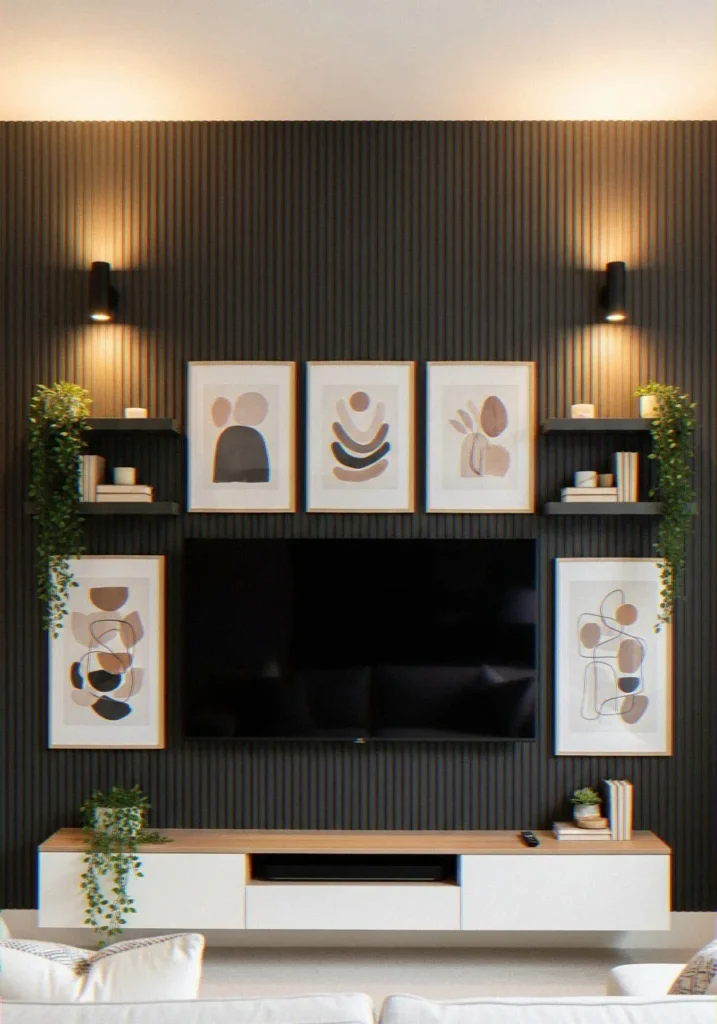
The issue lies elsewhere when you mount your TV on a bigger wall than you anticipated, now you are left to fill the empty space around your TV, as not to make it look like a black square in the air.
I’ve found the best approach is treating the TV as the anchor of a larger gallery or feature wall composition.
- Frame the TV with floating shelves on either side at varying heights. Style them with plants, books, and small sculptures to add warmth and life.
- Create a full accent wall behind the TV using wood paneling, shiplap, or textured wallpaper. The visual backdrop makes the TV feel like a deliberate design choice rather than an afterthought.
- Use symmetry to your advantage. Matching sconce lights, identical plants, or mirrored art panels on both sides of the TV immediately make the space feel designed rather than thrown together.
- Go vertical with art. Tall framed prints or canvas panels above and beside the TV draw the eye upward and fill that awkward dead space large walls tend to create.
The goal is to make the TV feel like part of a curated wall moment — not just a screen you bolted up because you didn’t know where else to put it.
What to Put Under a Wall-Mounted TV in Your Living Room
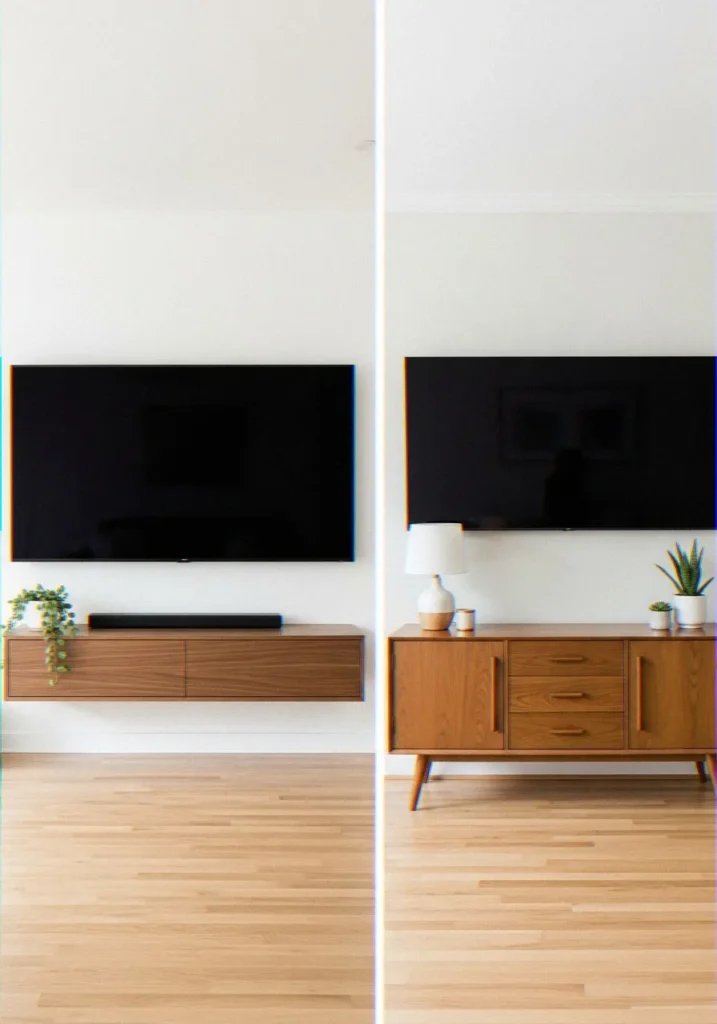
It is among the most commonly requested questions and in all honesty the answer to the same would be based on the amount of storage you will be needing, when compared to the bare minimal appearance of what you would like.
Here are the options I’d actually recommend:
Floating Media Console
A wall-mounted media console is my top pick. It keeps the floor clear, creates a clean floating aesthetic, and gives you storage for consoles, remotes, and media devices. Look for one with a width that’s roughly two-thirds the width of your TV — it creates natural visual balance without looking undersized.
Low-Profile TV Stand or Credenza
Where it is impossible to install the console on the wall, a low and wide credenza is a perfect choice. Make it not much higher than 20 inches or it will compete with the TV in terms of visual superiority. Tapered leg mid-century modern styles are currently being widely used and are also used to provide character to the space.
Built-In Shelving Unit
To be more permanent, high-end, though, a built-in unit, which surrounds the entire TV wall, with the screen being in the middle of it, is truly beautiful. It is a larger investment, but answers both the question of what goes under and what goes beside in one strike.
Minimalist Approach: Nothing
And occasionally the best appearance is no furniture at all below the TV set just the screen, cables in the wall, a clear floor beneath. This is particularly effective in contemporary or Japandi interior design in which negative space is an element of the design language.
TV Wall Design for Living Room: Latest Ideas Worth Trying
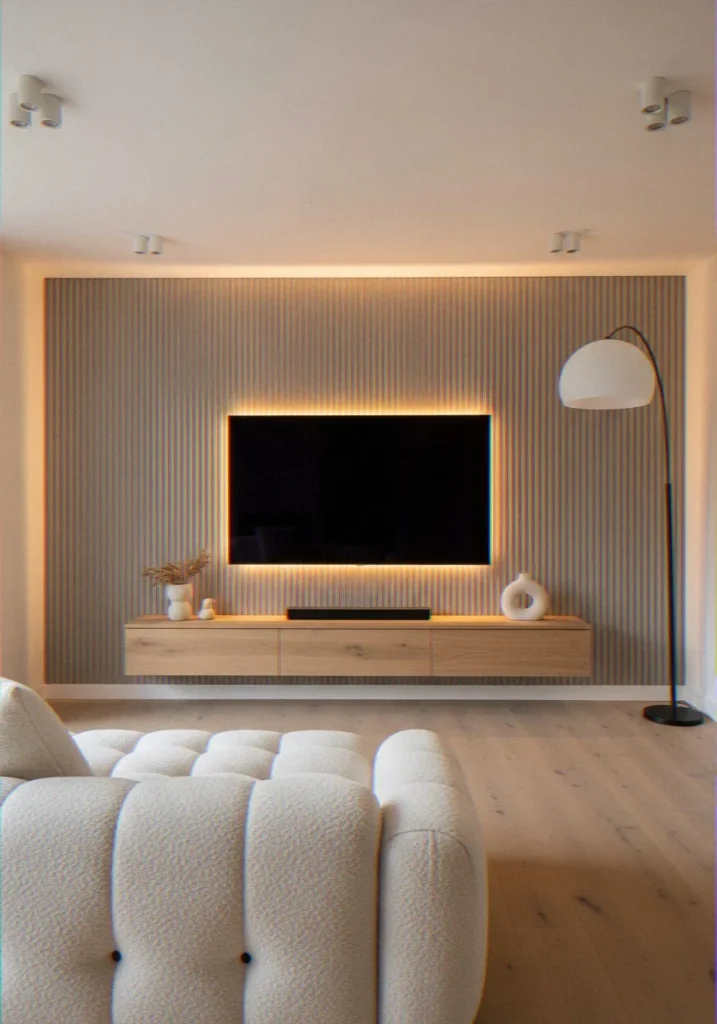
The TV wall has become one of the most designed spaces in the modern home — and the latest trends make it look better than ever. Here’s what’s actually working well right now:
Fluted Panel Feature Walls
WF MDF or wood panels behind the TV are vertical fluted everywhere at the moment, and with good reason – it is a fantastic texture, depth, and high-end feel that does not require a large budget. Have them matched to the wall or have a natural wood finish to make them warm.
Integrated LED Bias Lighting
Bias lighting behind the TV (strips of LED light mounted on the back of the screen) does two things: it reduces eye strain during nighttime viewing and makes the whole wall look intentionally lit.
Go with a warm white or soft amber tone for a cozy feel — the harsh RGB rainbow effect looks great in gaming setups but a bit much for living rooms.
Full Stone or Tile Accent Walls
Mounting a TV on a feature wall clad in large-format stone-look tile or natural stone veneer creates a dramatic, almost fireplace-like centerpiece. I’ve seen this done with light travertine, dark slate, and everything in between — it consistently looks expensive and intentional.
Recessed TV Niches
If you’re renovating, consider having the TV wall built with a shallow recessed niche. The TV sits inside the recess rather than protruding from the wall, which creates a clean, almost built-in look. It also naturally frames the screen without any additional décor effort.
Japandi Minimalism
Clean wood shelving, neutral tones, minimal accessories, and carefully chosen greenery around the TV. This style has staying power because it’s calming, timeless, and works in almost any space.
Frequently Asked Questions
How to Visually Balance a 65-Inch TV on a Very Short Wall?
This one is one I receive a lot, and the way out is proportion management. The size of a 65 inch TV is approximately 57 inches in width and 33 inches in height. That is considerable vertical space on a wall less than 7 feet.
The key is to reduce visual mass above and below the TV. Mount it as close to the ideal eye-level height as possible — even if that means the top of the screen comes very close to the ceiling.
Then keep the area below the TV minimal: a slim floating shelf or nothing at all. Avoid bulky TV stands that stack height.
Use horizontal elements on either side of the TV — wide, low floating shelves or a horizontal gallery arrangement — to reinforce the sense of width over height. This tricks the eye into reading the wall as wider and therefore more proportional to the TV’s size.
Painting the wall behind the TV a slightly deeper tone than the surrounding walls also helps — it visually recedes the wall surface and makes the TV feel less like it’s consuming the entire space.
Can a Flat Screen TV Overhang the Edges of a Narrow Wall?
Technically, yes — but you need to think carefully about what “overhang” actually means structurally and visually.
If your TV is wider than the wall section between two architectural features (say, a doorframe and a corner), the screen can extend past those boundaries — as long as the mount itself is anchored securely within the wall section. The TV doesn’t need to be entirely contained within the wall width; the bracket just needs to hit studs.
That said, a TV that visibly overhangs its wall section can look awkward. Here’s how to handle it gracefully:
- Use the overhang intentionally. If the TV extends past a built-in shelf or panel on one side, treat that side as an open frame element rather than a mistake. Add a vertical decorative accent on the opposite side to balance it.
- Check clearance carefully. Make sure nothing in the TV’s path gets blocked — light switches, door swings, or wall-mounted fixtures nearby can all become problems.
- Lean into a corner setup. If one side of the TV nearly reaches a corner, a full-motion mount that pulls the screen slightly away from the wall and angles it toward the seating area can actually look sleek and intentional.
The bottom line: overhanging a narrow wall section works, but it needs to look planned rather than accidental.
Should You Paint a Short Wall Dark to Hide a Large TV?
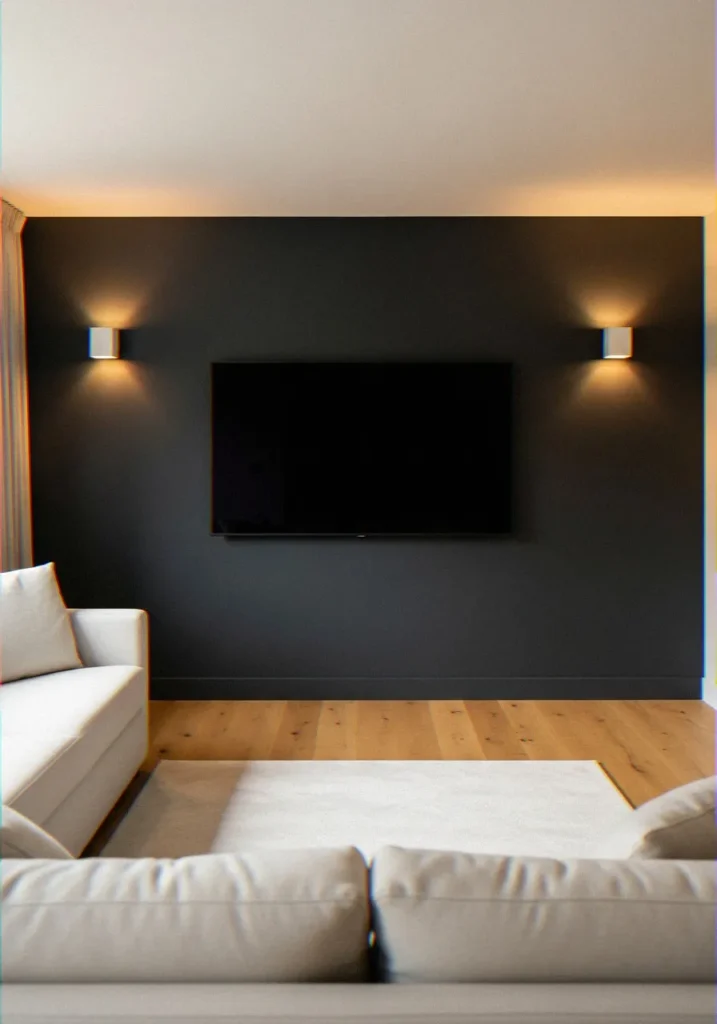
This is a surprisingly smart design question, and the answer is: yes, with some nuance.
Painting the wall behind a large TV in a deep, dark tone — charcoal, slate blue, forest green, or matte black — works for a few reasons:
- Dark walls visually recede. When the wall surface steps back, the TV feels less like a massive object stuck to it and more like it’s floating in a considered space.
- The TV screen itself appears to blend in more naturally against a dark background, especially when it’s off. A black screen on a white wall is glaringly obvious; a black screen on a charcoal wall nearly disappears.
- It creates a cinematic, moody atmosphere that actually enhances the viewing experience. I painted my own TV wall a deep slate gray and it immediately made the room feel more intentional — like a proper media space rather than a living room with a TV shoved in it.
A few things to keep in mind:
- Don’t paint the entire room dark unless you have excellent lighting. Apply the dark color as an accent wall or a defined panel behind the TV only.
- Use matte or eggshell finish — glossy dark paint reflects light and can actually increase glare on the TV screen.
- Balance it with light elements in the rest of the room. Light furniture, pale rugs, and plenty of ambient lighting stop the dark wall from making the space feel heavy or closed-in.
Wrapping It Up
Balancing a large flat screen TV on a short living room wall isn’t as intimidating as it first looks. The key is treating it as a design challenge, not just a hardware problem.
Measure carefully, choose the right mount, hit those studs, and think about the visual balance of the whole room — not just the TV in isolation.
After nailing it, a large TV on a small wall can really seem amazing, purposeful, deliberate, and not clumsily hanging in its place. And by the way, there is nothing like watching a movie on day off and knowing you aced it.
Now grab that measuring tape and make it happen. Your living room will thank you.

4 thoughts on “How to Balance a Large Flat Screen TV on a Short Living Room Wall”